GTA 6 Money: BuckMe Bank, Family Savings and Your Stash
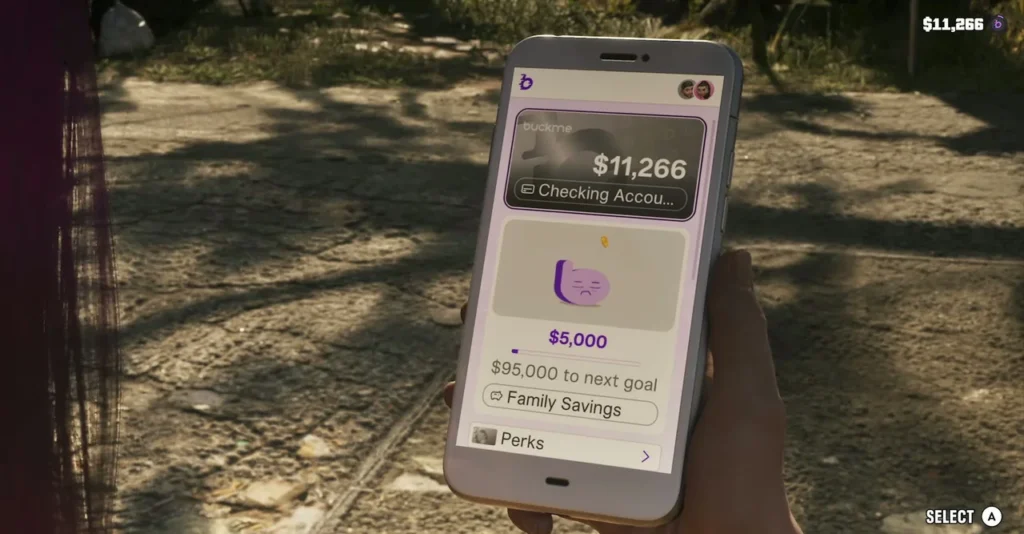
Seen in our playthrough · our streams of November 18 and 19, 2026 (UTC) · Xbox Series X. Our own screenshots, no story spoilers.
In our GTA 6 playthrough, money showed up in three places: amounts on the HUD, a BuckMe bank account on the phone, and a stash at home. This page shows what each one looked like on screen, and the one transfer we recorded: $200 into Family Savings.
Amounts on the HUD
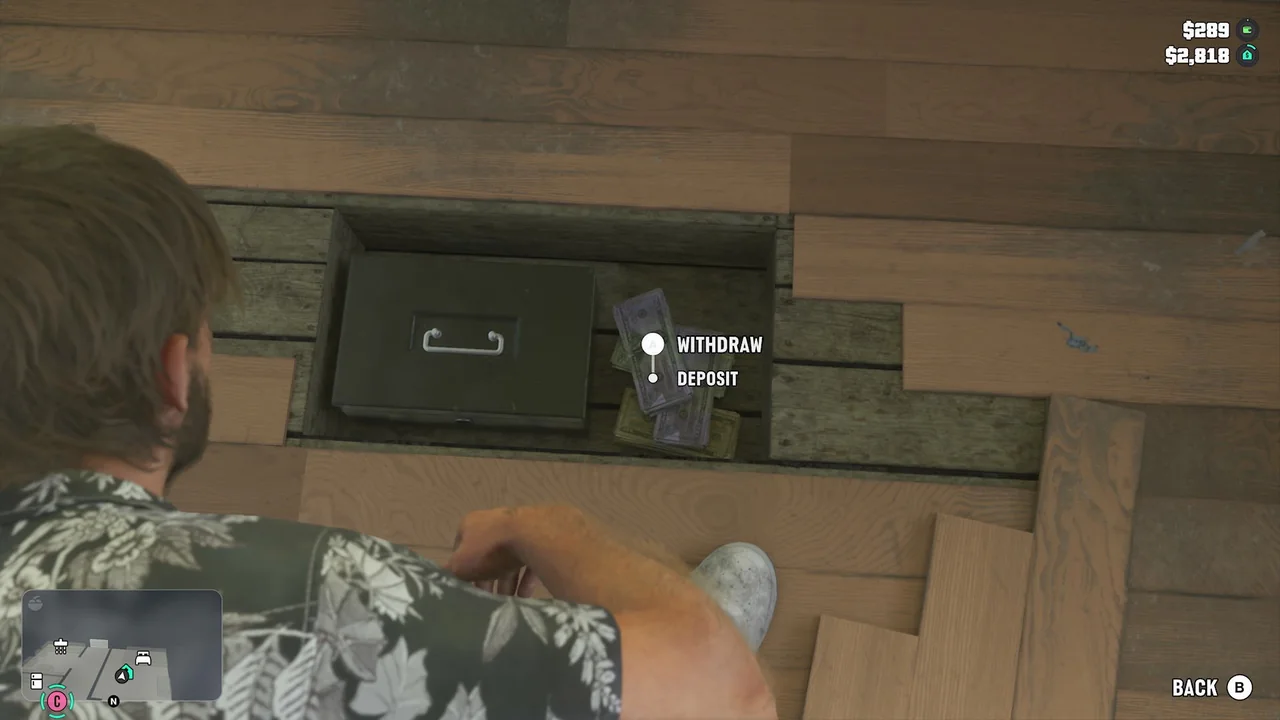
The top right corner showed up to three amounts, each with its own icon. One of them carries the purple BuckMe icon, the same as the banking app. At home, with the stash open, a second amount had a house icon; ours read $2,818.
The BuckMe app
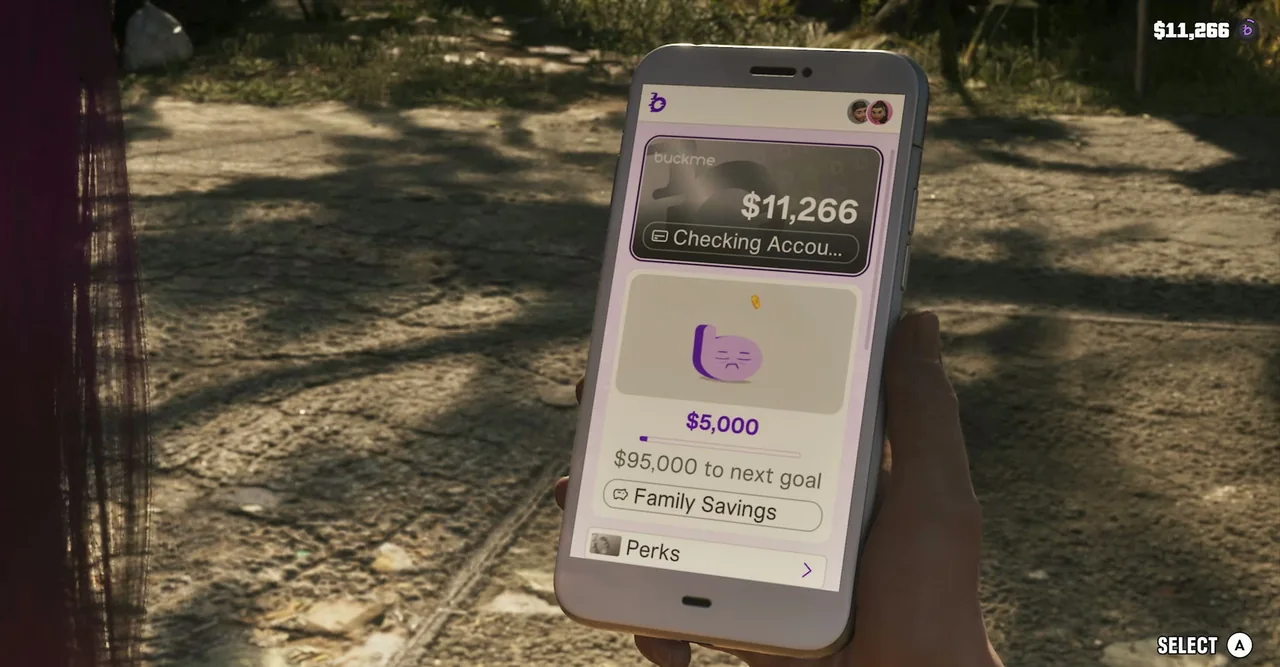
BuckMe is the banking app on the phone. Its home screen showed our Checking Account balance, $11,266 at the time, a Family Savings goal and a Perks section.
Family Savings goals
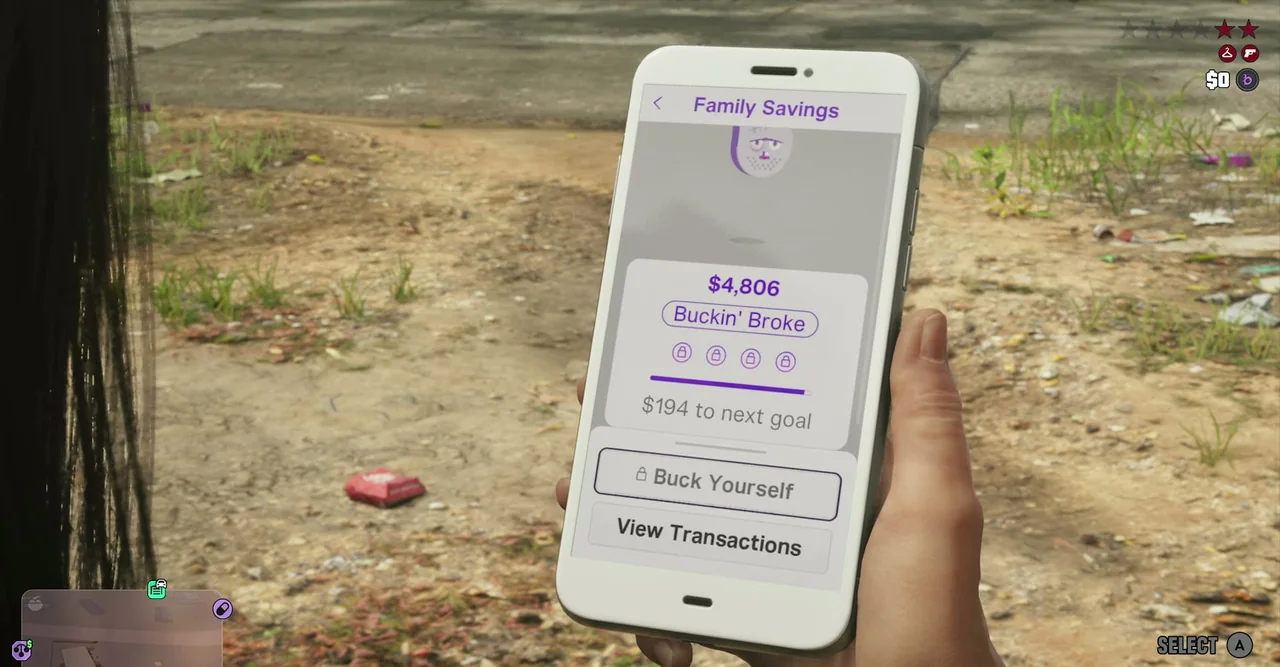
Family Savings works in goals. Earlier on our second stream it showed $4,806 with the label «Buckin’ Broke» and «$194 to next goal», plus the buttons Buck Yourself and View Transactions. Later it showed $5,000 and «$95,000 to next goal».
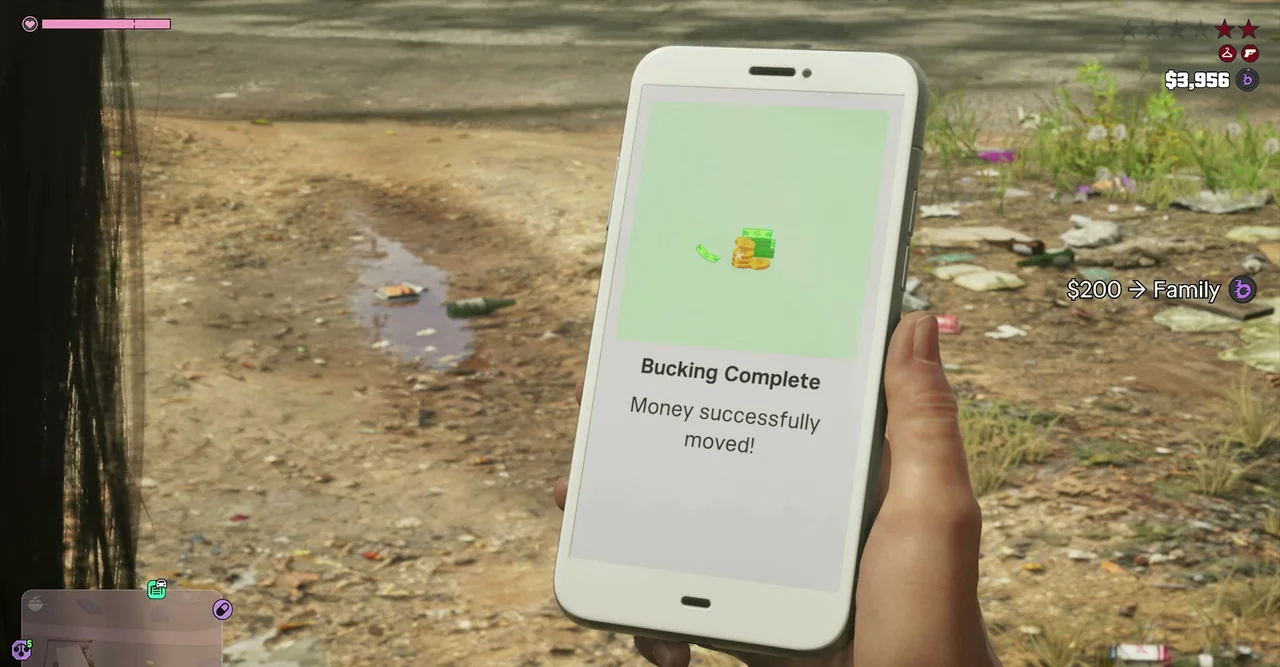
Moving money in showed «Bucking Complete — Money successfully moved!», and a notice on the side read «$200 → Family».
The stash at home
At home on our first stream, a hidden box under the floorboards held cash, with the options Withdraw and Deposit.
What we haven’t checked yet
- What Perks give, and what reaching a Family Savings goal unlocks.
- What Buck Yourself does; it was locked on our screen.
- What happens to the cash you carry if things go wrong.
- The PlayStation 5 prompts. Everything above is from Xbox Series X.
FAQ
Is there a bank in GTA 6?
Yes. In our playthrough the BuckMe app on the phone showed a Checking Account, a Family Savings goal and Perks.
How do you save money in GTA 6?
We moved money into Family Savings in the BuckMe app; the app answered «Bucking Complete — Money successfully moved!». At home there is also a stash with Withdraw and Deposit.
What is Family Savings in GTA 6?
A savings goal in the BuckMe app. Ours showed «$194 to next goal» at $4,806 and «$95,000 to next goal» at $5,000.
More from our playthrough: the phone and its apps, selling stolen goods and selling cars.
Written from our own playthrough; every line above comes from our recordings and our source-checked fact ledger.

Join the conversation
Sign in to drop your take — Google sign-in supported, takes ten seconds.